









Advik Gmail Backup Tool for Windows
- Demo
- 4.71
- V5.2.0
Download for Windows
View an ad to download for free
Backup Gmail Emails to PST, MBOX, EML, HTML and 30+ File Formats
Advik Gmail Backup Tool helps users download and save Gmail emails directly to their computer in multiple file formats. The software is designed for users who want to protect important emails, create offline backups, migrate Gmail data, or free up mailbox storage space without losing valuable information.
The tool allows users to backup Gmail emails along with attachments, contacts, labels, calendars, and other mailbox items safely. It supports exporting Gmail data into PST, PDF, MBOX, EML, MSG, HTML, TXT, DOC, and several other popular formats. Users can also transfer Gmail emails directly to Office 365, Outlook, Yahoo Mail, Thunderbird, IMAP accounts, and various cloud platforms.
Advik Gmail Backup Software maintains complete email integrity during the backup process. It preserves original email formatting, attachments, inline images, metadata, internet headers, timestamps, and folder hierarchy exactly as they appear in Gmail. The software also supports selective backup, allowing users to export emails from specific labels, folders, date ranges, or senders only.
The application is equipped with modern Gmail authentication technology to ensure secure login and safe email processing. Since the software works with an intuitive interface, both technical and non-technical users can easily backup Gmail emails without requiring any special skills.
Whether you need a personal Gmail backup, business email archive, legal email record, or email migration solution, Advik Gmail Backup Tool offers a fast, secure, and reliable experience.
Core Features
Backup Gmail emails with attachments and complete mailbox data.
Save Gmail emails into PST, PDF, MBOX, EML, MSG, HTML, and other formats.
Export Gmail emails directly to Office 365, Thunderbird, Outlook, and IMAP servers.
Preserve labels, folder hierarchy, metadata, and email formatting accurately.
Perform selective backup using advanced email filter options.
Backup multiple Gmail or Google Workspace accounts simultaneously.
Maintain inline images, hyperlinks, headers, and timestamps perfectly.
Secure Gmail login using modern authentication methods.
No file size restrictions for Gmail mailbox backup.
Easy-to-use interface suitable for beginners and professionals.
Supports Windows 11, 10, 8, 7, and older operating systems.
Fast and reliable Gmail email backup without data loss.
How to Backup Gmail Emails
Install Advik Gmail Backup Tool on your Windows computer.
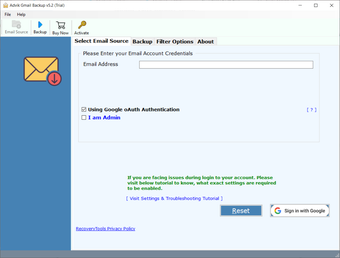
Open the software and login to your Gmail account securely.
Choose Gmail folders or labels you want to backup.
Select the required saving format or email platform.
Use filters if you want to backup selected emails only.
Choose destination path for saving backup data.
Click the Backup button to start the Gmail backup process.
Access saved emails anytime from your local storage or selected platform.
Frequently Asked Questions
Does the software backup Gmail attachments?
Yes, the tool downloads all email attachments along with emails.
Can I save Gmail emails as PDF files?
Yes, the software supports PDF and many other export formats.
Is Gmail backup secure?
Yes, the software uses secure authentication methods for Gmail login.
Can I backup only selected Gmail folders?
Yes, you can choose specific labels or folders for backup.
Does the tool support Google Workspace accounts?
Yes, it supports both Gmail and Google Workspace accounts.
Can I migrate Gmail emails to Outlook or Office 365?
Yes, direct migration options are available within the software.
Is there any mailbox size limitation?
No, the software can process large Gmail mailboxes efficiently.
Do I need technical knowledge to use the software?
No, the interface is simple and beginner-friendly.
Loading…
App specs
License
Demo
Version
5.2.0
Latest update
Platform
Windows
OS
Windows 2003
Language
English
Available languages
- Spanish
- English
- French
- German
- Italian
- Portuguese
Size
80.98 MB
Developer
- Advik Soft
- More programs (9)
Advik Gmail Backup Tool for PC
- Demo
- 4.71
- V5.2.0
Download for PC
View an ad to download for free
User reviews about Advik Gmail Backup Tool
Have you tried Advik Gmail Backup Tool? Be the first to leave your opinion!
Add reviewTop downloads File managers for Windows
Top downloads File managers for Windows
Top downloads File managers for Windows
Related topics about Advik Gmail Backup Tool
Latest articles

Markiplier's movie will be on YouTube very soon, although not as you expect

Cate Blanchett and Selena Gomez will star in an X-rated movie. And no, it's not clickbait

Nicolas Cage rejected a role in the original 'Spider-man'… although now he finally plays the superhero

60 million dollars in losses: the Spider-Man musical that is considered the biggest flop in history

'La casa de papel' is based on an incredible true story, but it didn't happen in Spain
Laws concerning the use of this software vary from country to country. We do not encourage or condone the use of this program if it is in violation of these laws. Softonic may receive a referral fee if you click or buy any of the products featured here.